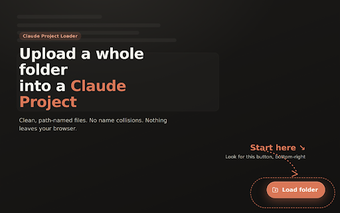
Claude Project Loader: Prepare multi-folder codebases for Claude Projects
Claude Project Loader, developed by Aditya Raman, is a Chrome extension that helps upload multi-folder repositories to Claude.ai Projects for analysis, debugging, or refactoring. It flattens directory paths into unique filenames, supports drag-and-drop of folders and files, and applies .gitignore-based filtering before upload. Additional controls include sensitive-file exclusion, a pre-upload review pane, and optional comment-and-blank-line cleanup to reduce token usage. It targets developers and engineers who need intact repository context during AI-assisted code work.
How the extension prevents silent filename collisions
Path-based renaming is the extension's core safeguard: it converts full folder paths into filenames so files that would otherwise share a name stay unique in a Claude Project. For example, a file at src/auth/index.ts is recorded with its folder path included, eliminating silent overwrites when multiple index files exist. This design keeps repository structure readable while preserving every file submitted for analysis.
How file processing and privacy are handled locally
All processing occurs in the browser, with no network code used to inspect or modify files before upload. The extension requests the activeTab permission to operate on the claude.ai domain and is published under an MIT open-source license, which supports code inspection. Those facts mean file handling and any filtering happen on the user’s device rather than on external servers.
How it trims repositories for Claude's input limits
Developer-centric filtering is built in: the tool honors .gitignore files and a set of common ignore patterns such as node_modules and build artifacts, and it proactively excludes sensitive files like .env and private keys. An optional cleanup step strips comments and blank lines from code files to reduce size before upload, helping fit more relevant code into Claude's context window.
How it fits into a developer's Chromium workflow
Workflow-friendly upload controls include drag-and-drop support for folders and single files plus a pre-upload review interface where you can search, rename, or exclude individual files before sending them to a Project. The extension runs on Chrome and other Chromium-based browsers, so it integrates directly into typical browser-based AI workflows for code review and refactoring.
Useful, focused tool for developers working with Claude
Claude Project Loader is a practical option for developers who need reliable preservation of repository context when sending projects to Claude. Its narrow scope, tied to the Claude Projects workflow and Chromium browsers, limits use outside that scenario. For teams that require broader cloud transfer or cross-platform upload tools, this extension may be too specialized, but it suits those integrating Claude into code review and refactoring tasks.